Choose the service and the price follows
✓ PASSINGWash, press, dry clean and the rest each carry their own price list. Pick the service first — from the pills or the "+N more" menu — and the catalog re-prices to match.
- 1
With an order open, press "M" for the catalog. The row of pills along the top is the service.
Whichever pill is highlighted sets the prices underneath it. Every garment you add is charged at that service's rate, so pick the service before the garment.
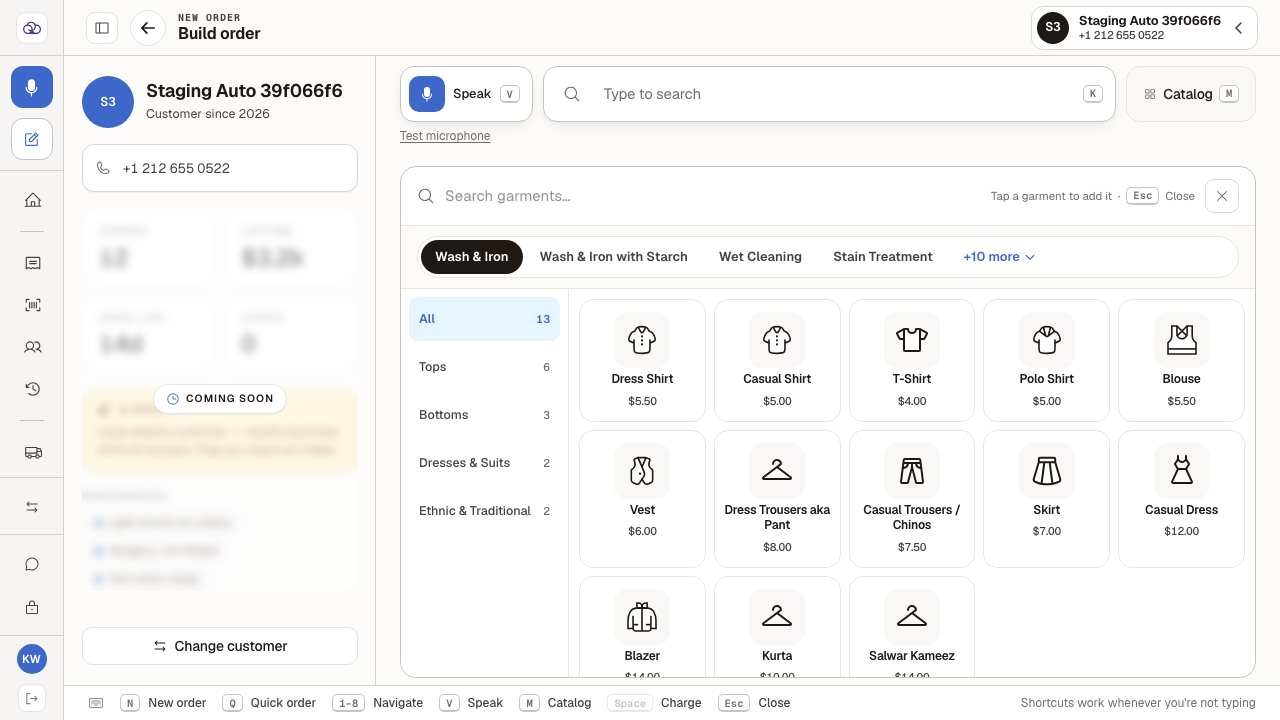
- 2
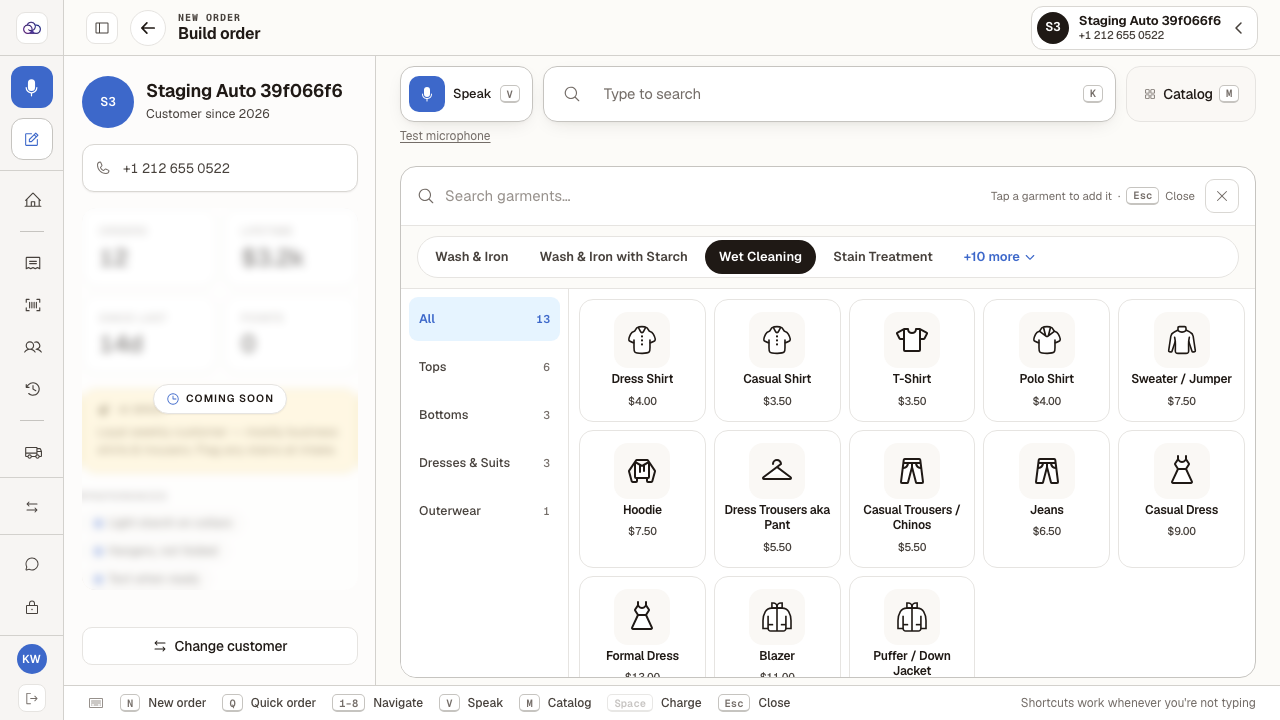
Click another pill — "Wet Cleaning" — and the whole grid re-prices.
Same garments, different rates: Dress Shirt moves from Dress Shirt $5.50 to Dress Shirt $4.00. Some services also carry garments the others do not.
- 3
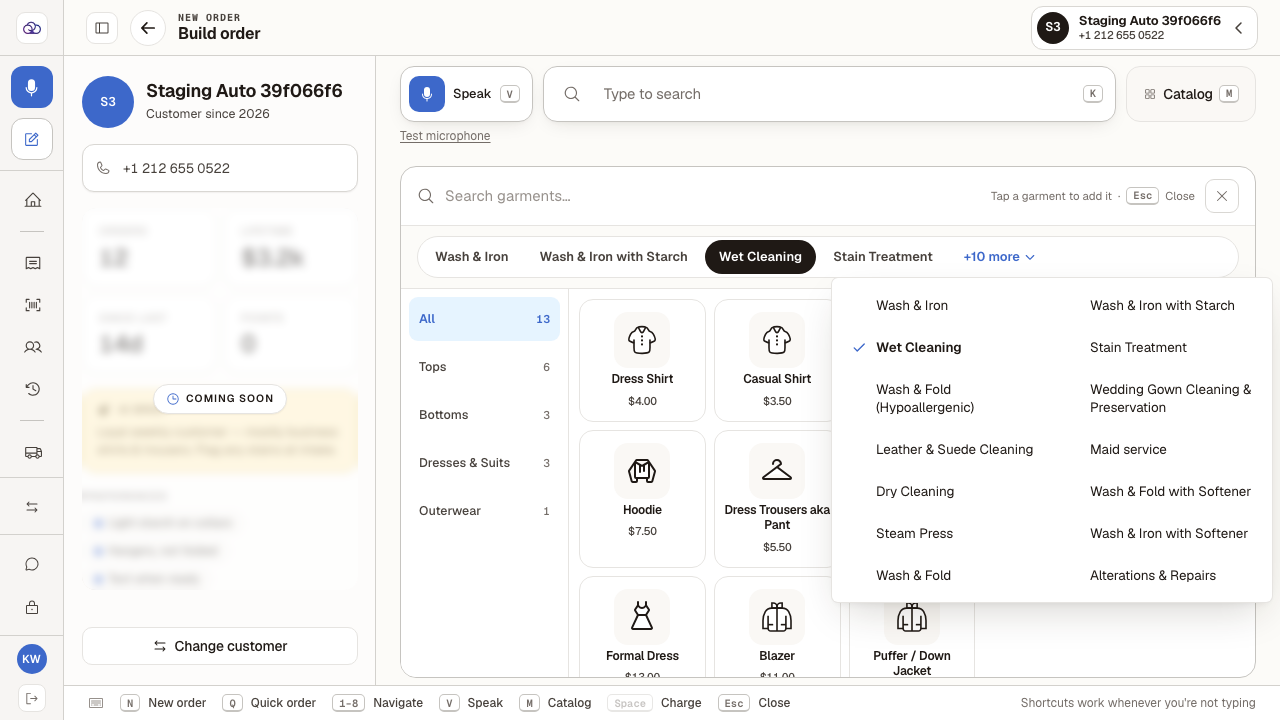
Only four services fit on the row. "+N more" opens the rest.
The menu lists every service the shop offers, including the four already on show — so you can pick from here whatever you were looking at.
- 4
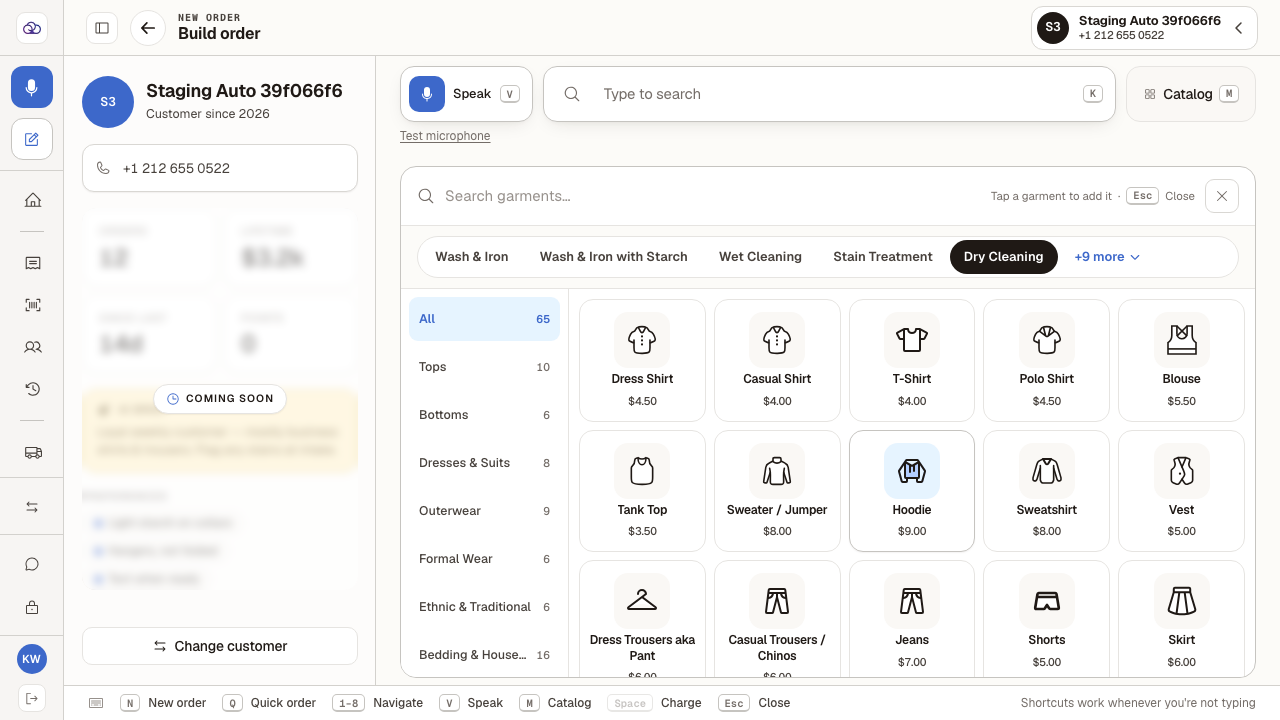
Pick one — "Dry Cleaning" — and it joins the row as the selected service.
It takes its place on the pill row for the rest of the order, the "+N more" count drops by one, and the prices change again: Dress Shirt is now Dress Shirt $4.50. Dry cleaning also opens up a much longer garment list, so the categories down the side grow to match.
Last verified: 8/21/2026, 5:00:21 AM · https://pos-staging.ci.quickdrycleaning.com