Take an order at the counter
✓ PASSINGStart an order, register the customer, add garments and take a cash payment.
- 1
Sign in and choose the Counter POS workspace.
- 2
Press N (or click "New order") from anywhere in the POS.
Every order starts with a customer — search for one, or add a new one.
- 3
Register the customer (name and phone), then "Create & start order".
- 4
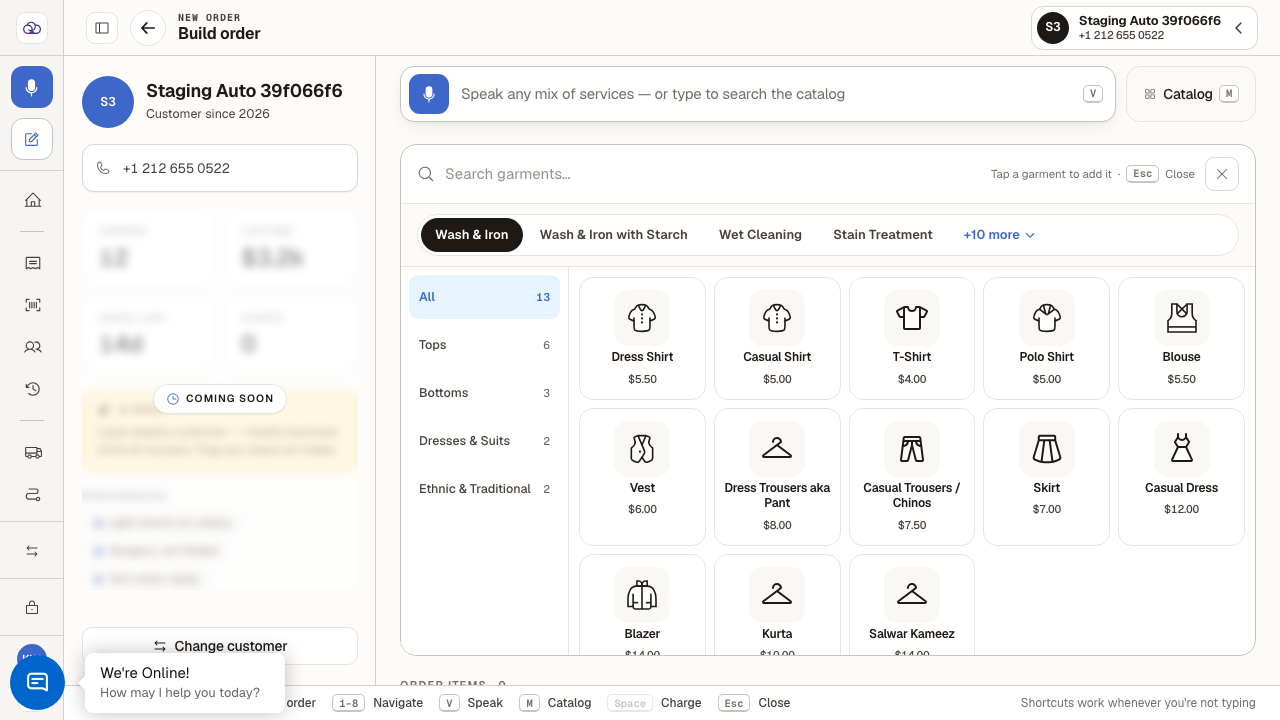
Open the catalog (or press M) and tap a garment.
Garments are grouped by service and category; each card shows its price.
- 5
Confirm the garment in the configure panel with "Add item". Repeat for each piece.
Colors, brands and defects are optional details on the same panel.
- 6
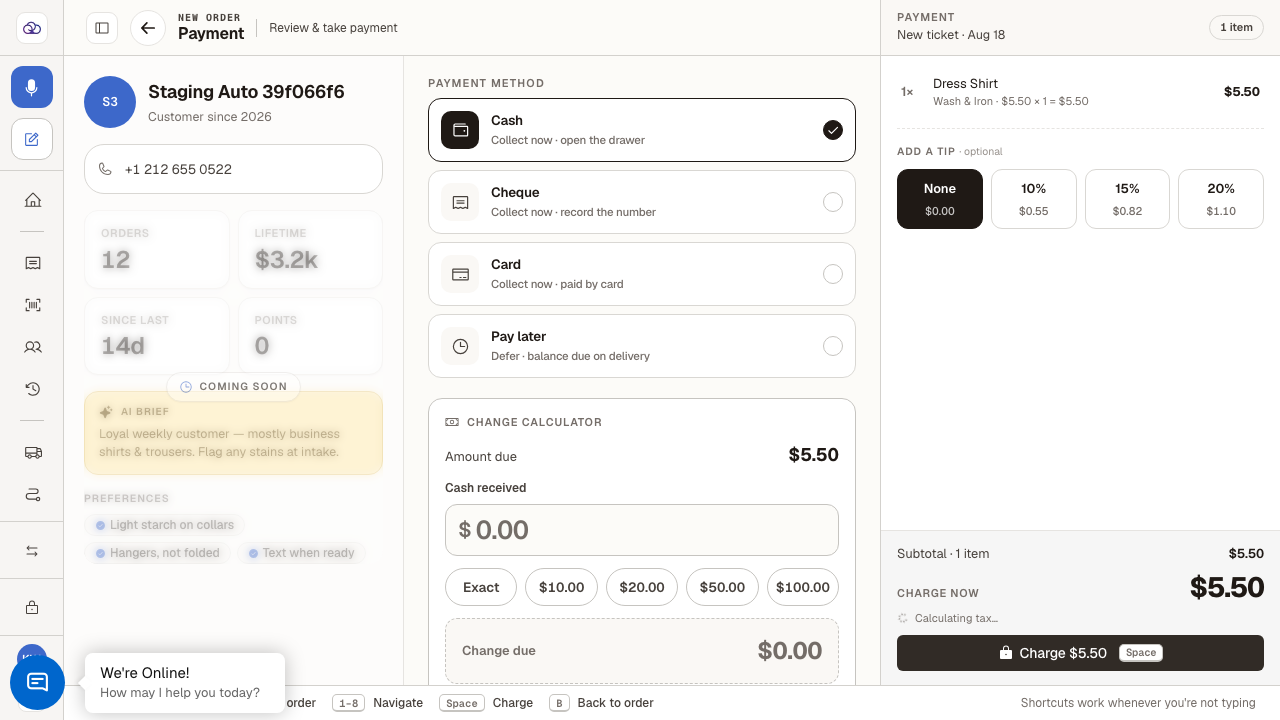
Press Charge to review and take payment.
Cash is pre-selected; the change calculator and optional tip live here.
- 7
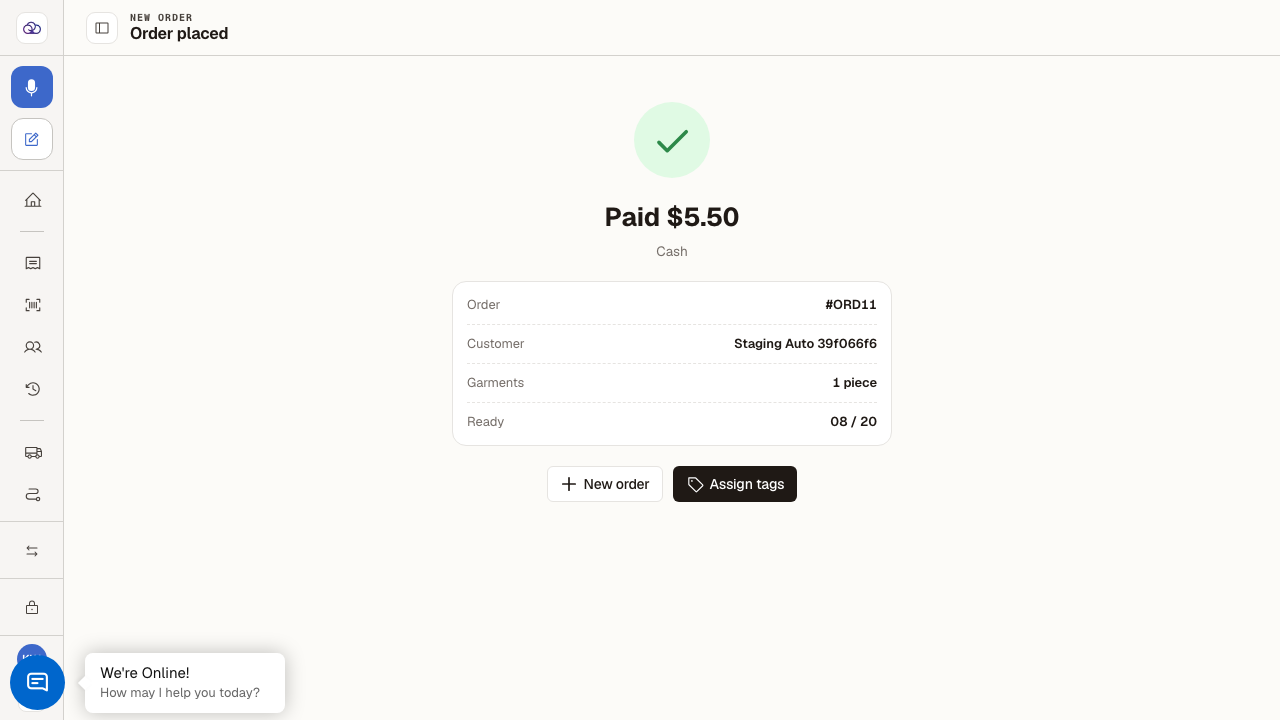
Charge the payment.
The confirmation shows the amount paid, the order number and the ready-by date.
Last verified: 8/18/2026, 1:25:05 PM · https://pos-staging.ci.quickdrycleaning.com