Find a customer by voice
✓ PASSINGSearch the customer list by speaking instead of typing: press V to start dictation, press V again to submit it.
- 1
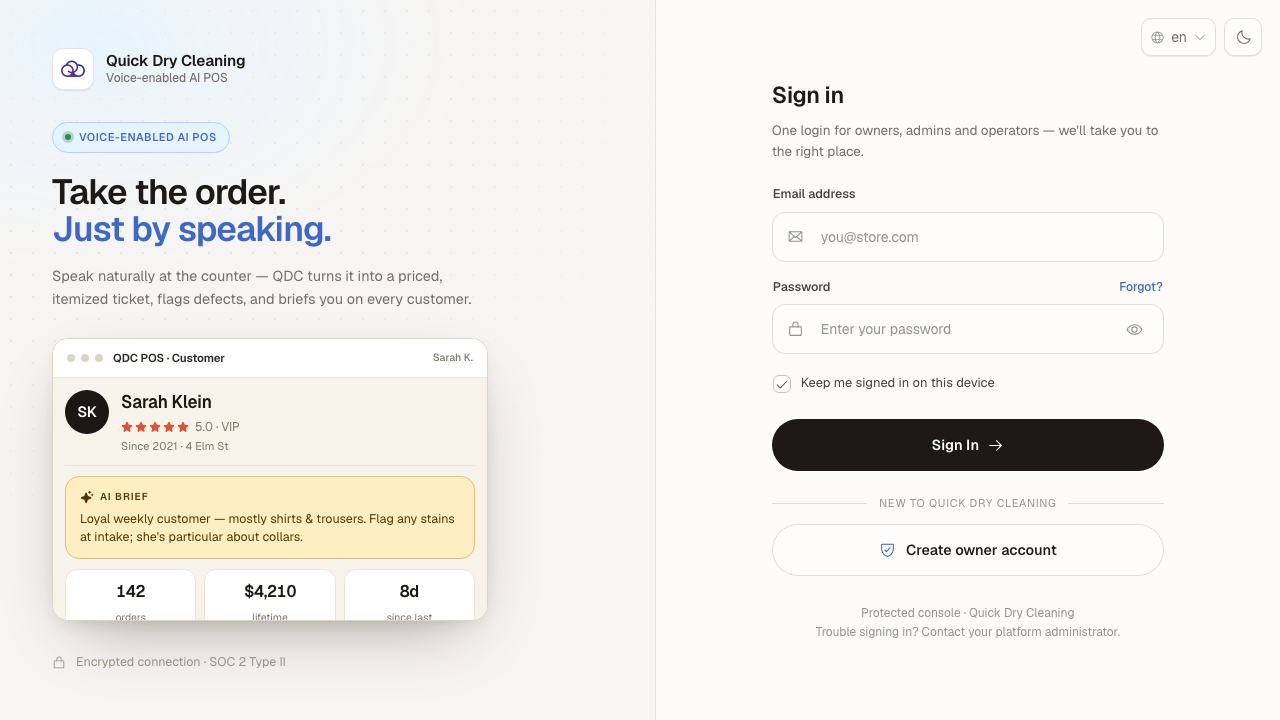
Open the POS in your browser. The sign-in page appears.
- 2
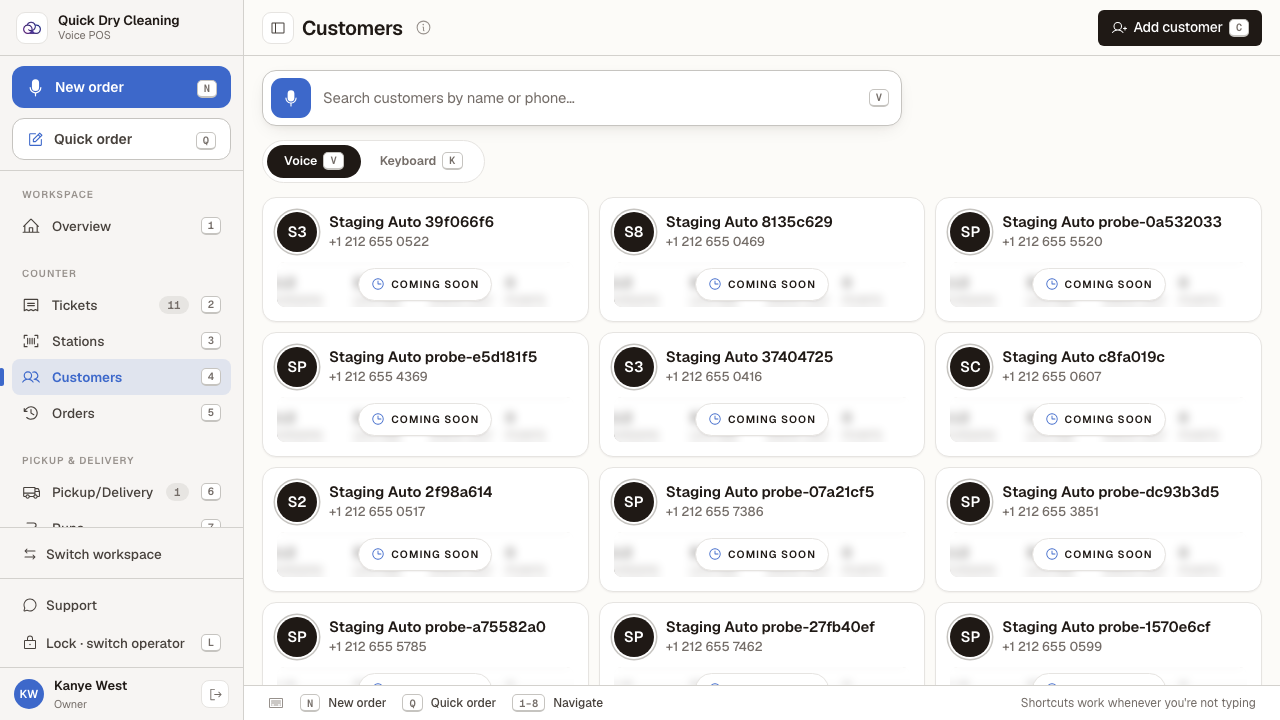
Sign in, choose the "Counter POS" workspace, then open "Customers" in the sidebar.
The search bar at the top offers two modes: "Voice" (press V) and "Keyboard" (press K). Voice is the default — you do not have to click into the search box first.
- 3
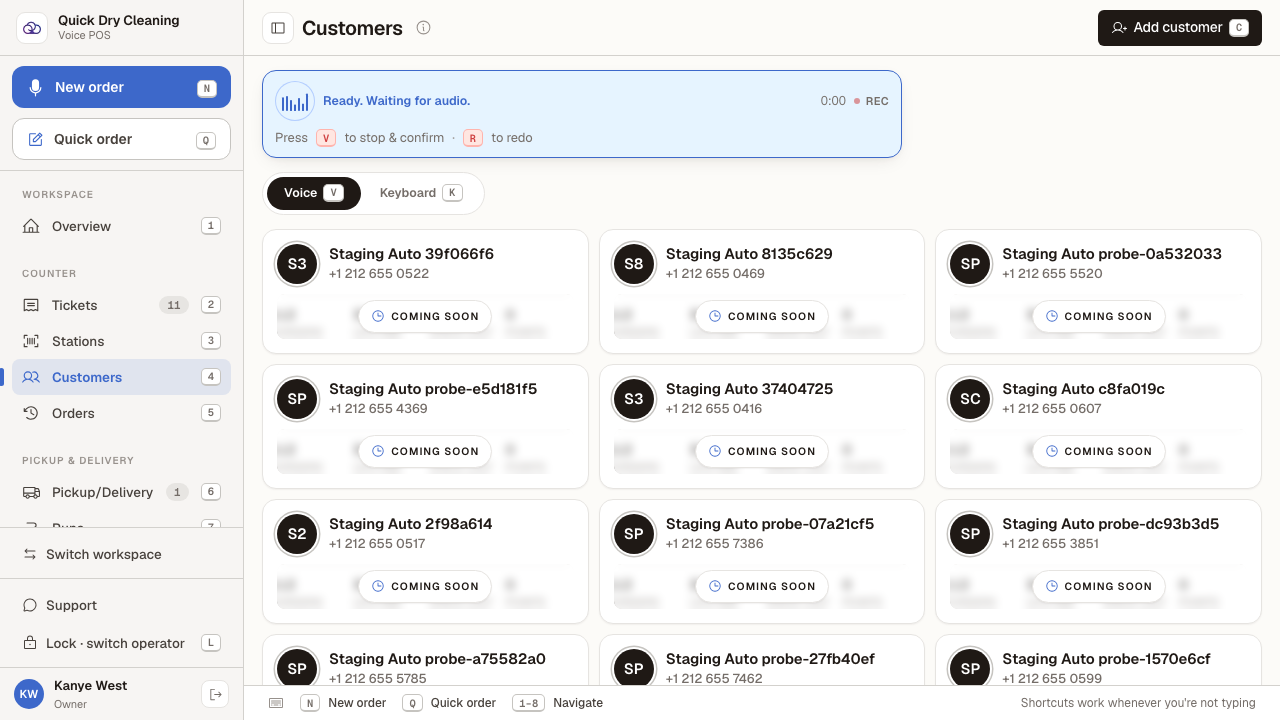
Press "V" and say the customer's name or phone number.
The search bar turns into a recorder: it shows REC, counts the seconds, and reminds you that pressing V again stops the recording (or R starts the take over).
- 4
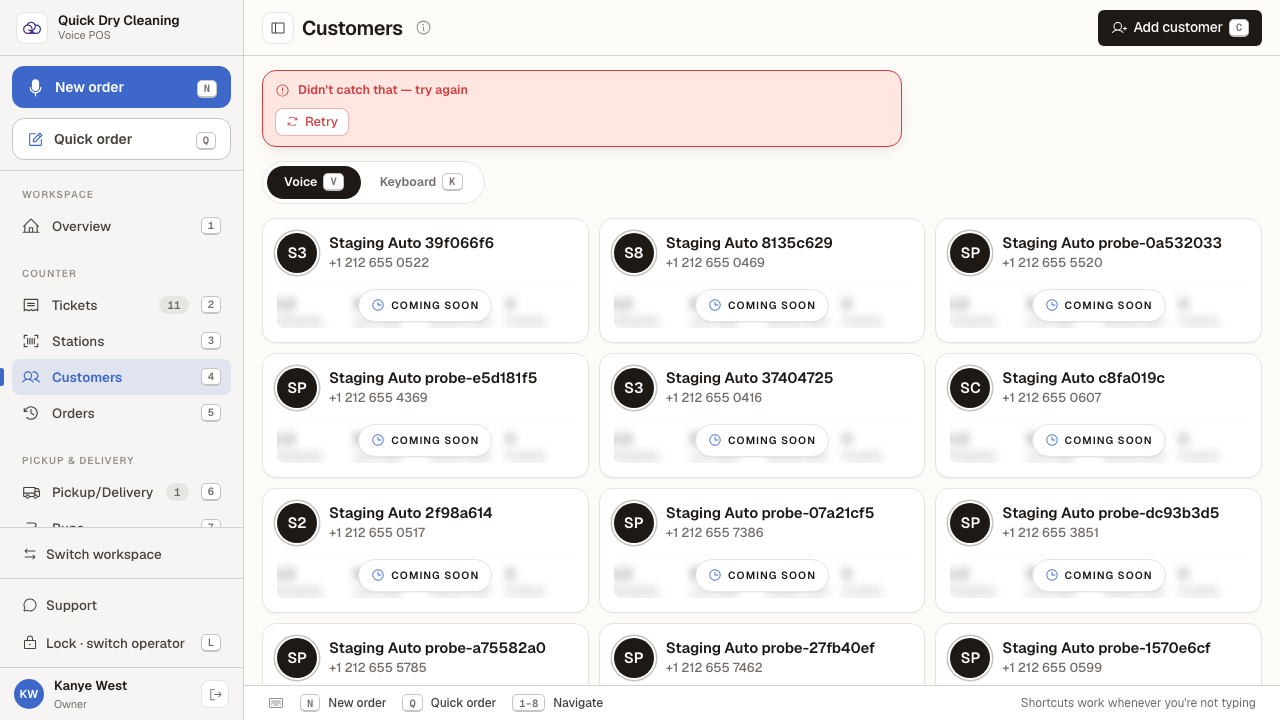
Press "V" again to finish. What you said is sent off and the matching customers are listed.
If nothing was picked up — a noisy counter, or the microphone did not catch you — the POS says "Didn't catch that — try again" and offers a Retry button. This screenshot was captured with a silent microphone, so it shows exactly that case.
Last verified: 8/20/2026, 10:35:31 AM · https://pos-staging.ci.quickdrycleaning.com