
Know when an order is ready to bag
The Stations screen tells you when every garment of an order has arrived at the last bench, so you can bag it as one order instead of checking piece by piece.
Step by step
Sign in to the counter POS, choose "Stations", and pick the bench you are working from the bench list.
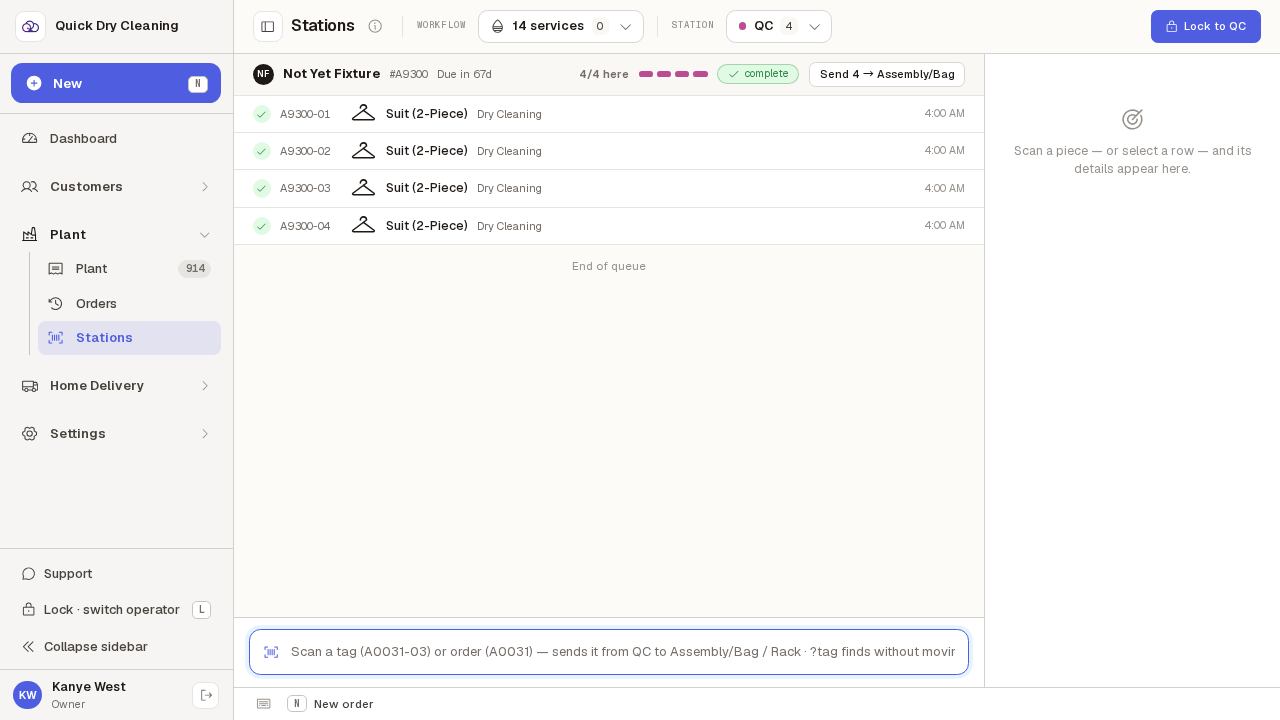
This is QC. Order #A9300 has all 4 of its garments here — the header says so, and marks the order "complete" — but there is no prompt, because the order still has a bench to go. "Complete" on a header means "all of this order is at this bench", not "this order is finished".
Switch to Assembly/Bag — the last bench — and a green prompt appears under the list.
It reads "Order #A9100 assembled — all 3 pieces", so you know which order to bag and how many garments to expect in it without counting the list. It appears on its own as the last garment arrives; nothing has to be pressed to bring it up.
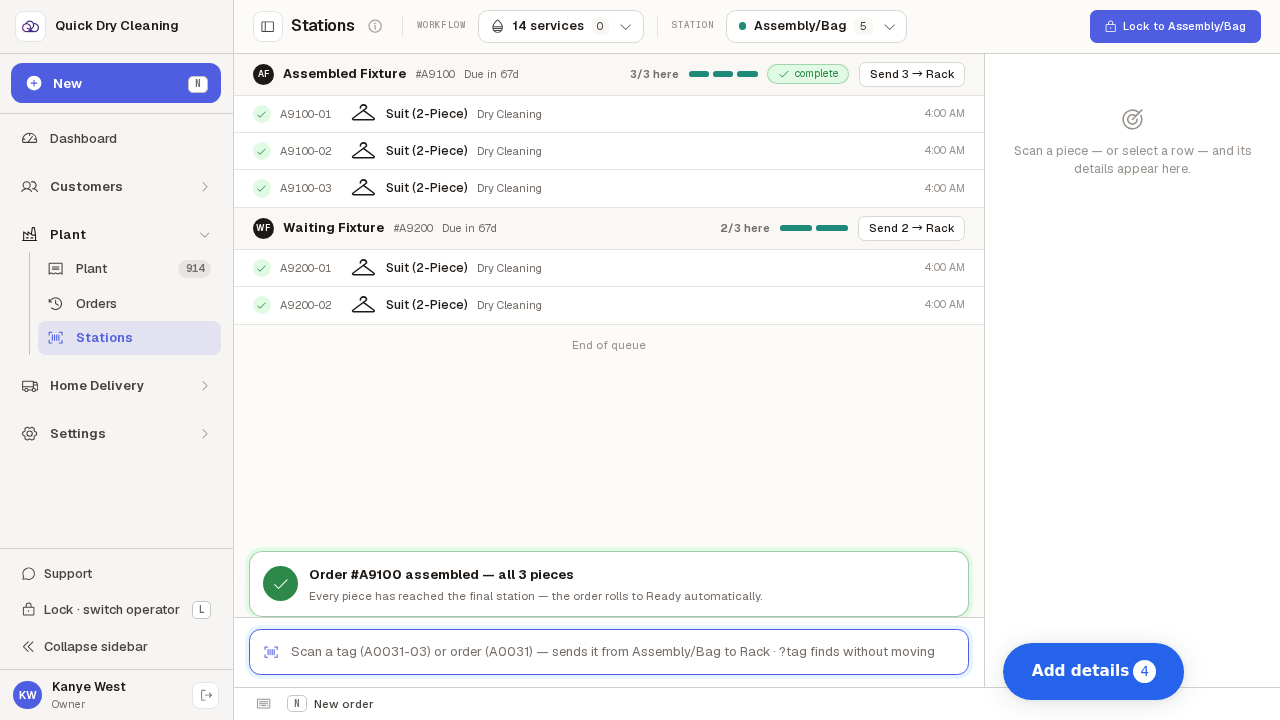
The order below it, #A9200, gets no prompt — it is still a garment short.
Both orders are on the same bench and both are in the list, but only the complete one is named. 2 of #A9200's 3 garments have arrived, so bagging it now would send it out short. The prompt is the signal that an order is whole.
Bag the named order and send it on.
The prompt's second line says what follows: every garment has reached the final station, so once they move on the order rolls to Ready by itself — you do not have to mark it ready separately. Use the "Send 3 → Rack" button on the order's header to move the whole group at once.