
Back
Showing or hiding the keyboard shortcuts bar
The thin bar along the bottom of the POS lists the keyboard shortcuts for the screen you are on. Settings → Preferences → Show shortcuts bar turns it off or on for this till.
Step by step
0 of 3 done
1
The shortcuts bar is the strip along the very bottom of the screen.
It shows the keys for the screen you are on — here "N New order". It is on when a till is new. Shortcuts work whether or not the bar is showing; the bar is only a reminder.

Open the screen full size
2
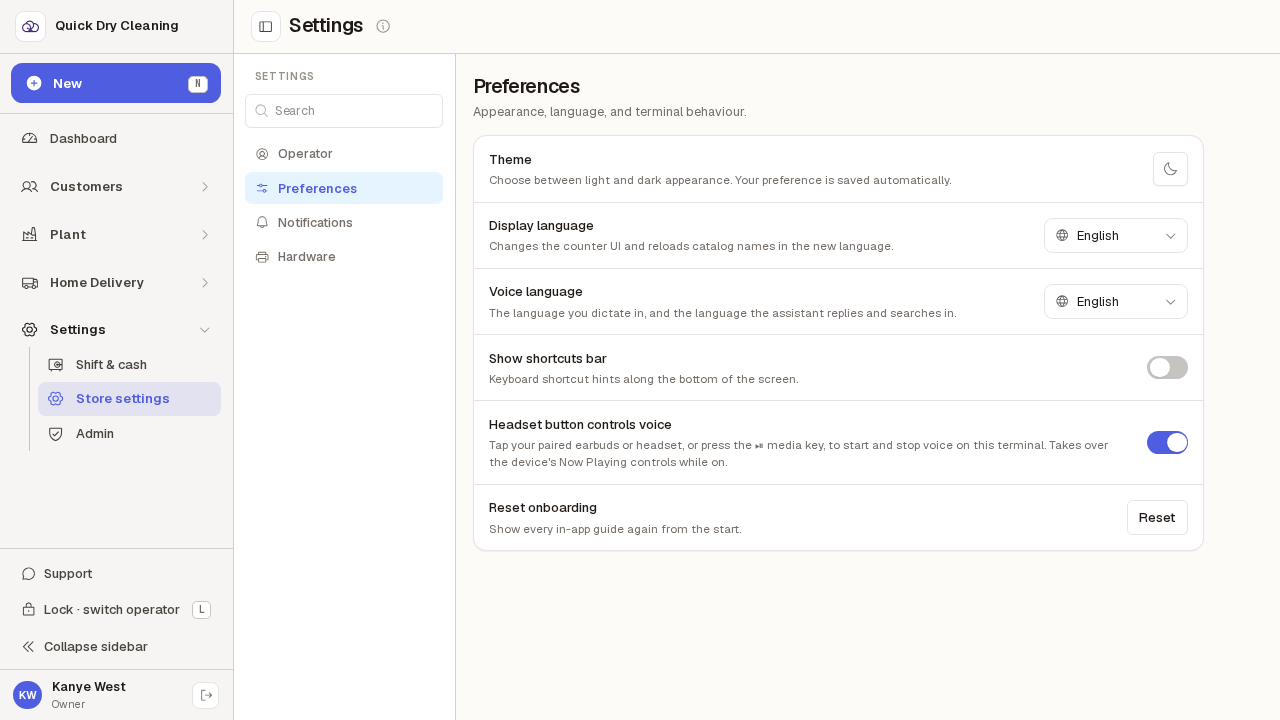
In Settings → Preferences, switch "Show shortcuts bar" off. The bar disappears.
It is gone from every POS screen on this till, and stays gone after a reload. Other tills keep their own setting. Handy on a small screen where every line counts.
Open the screen full size
3
Switch it back on to bring the bar back.
It changes the moment you flip the switch — there is nothing to save.

Open the screen full size