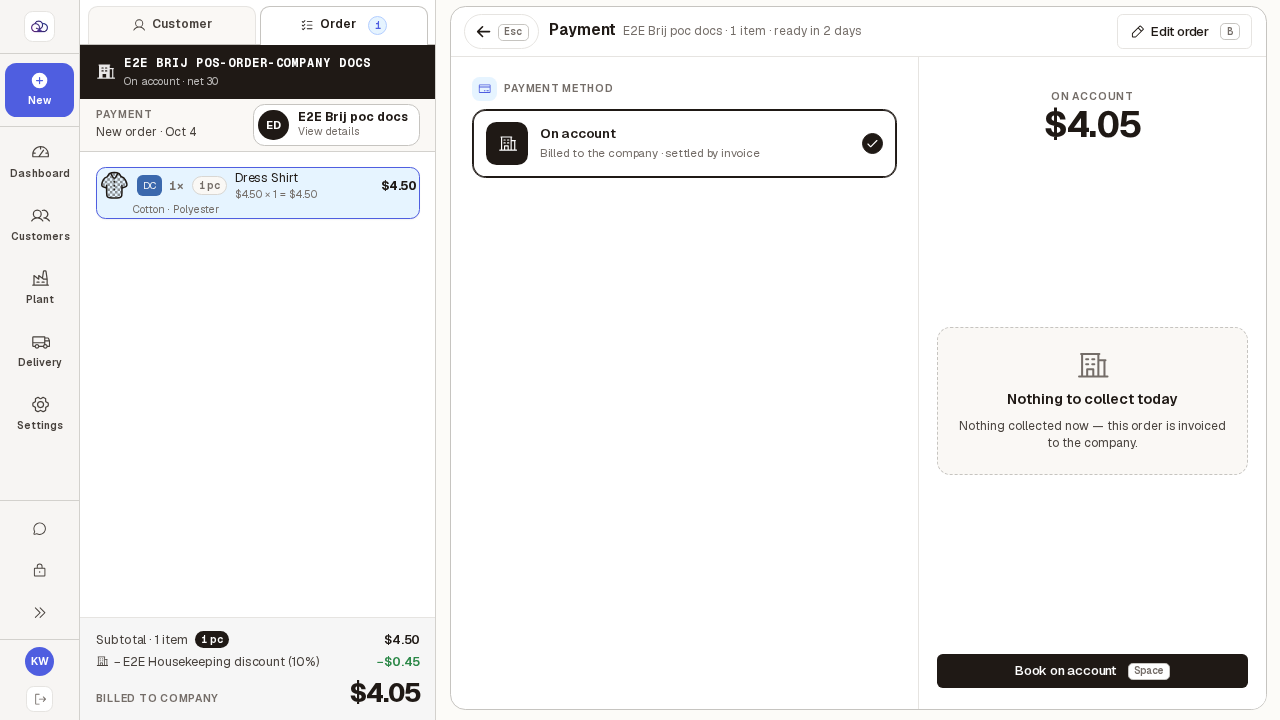
Bill an order to a company account
When a customer works for a company that has an account with you, the order can go on the company's bill instead of being paid at the counter. You can also pick the department, and note each garment's fabric and pattern.
Step by step
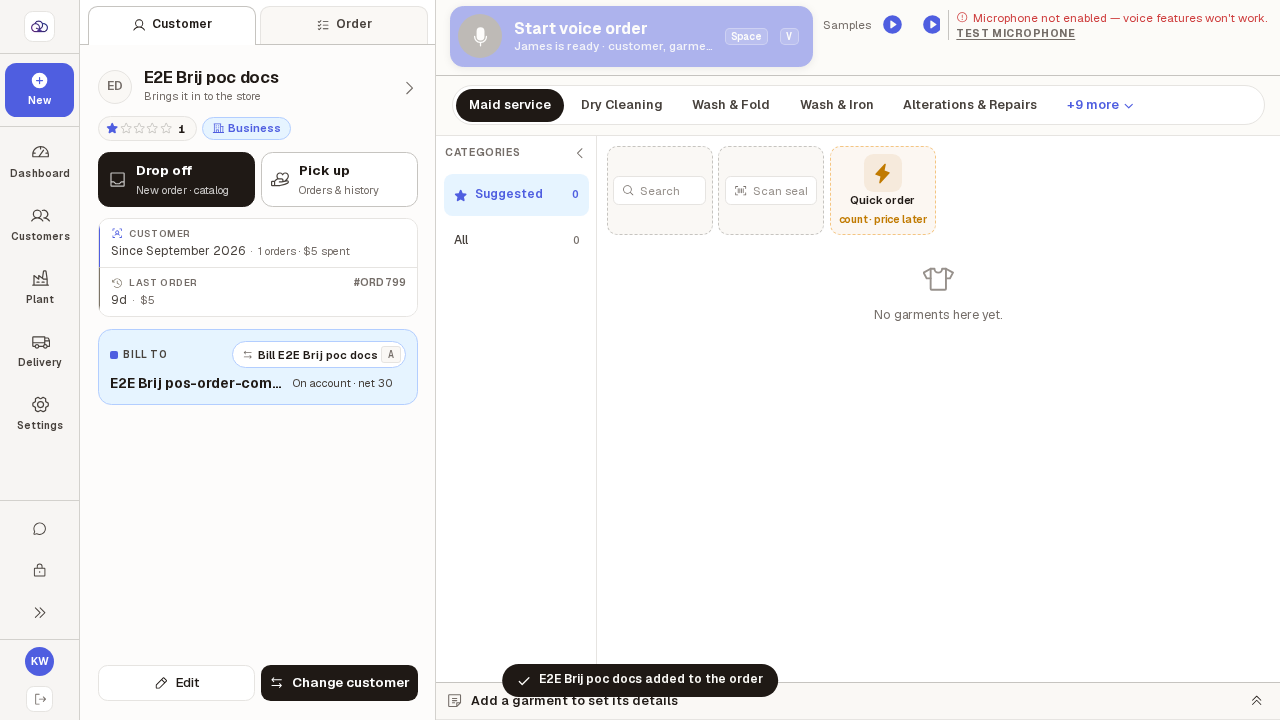
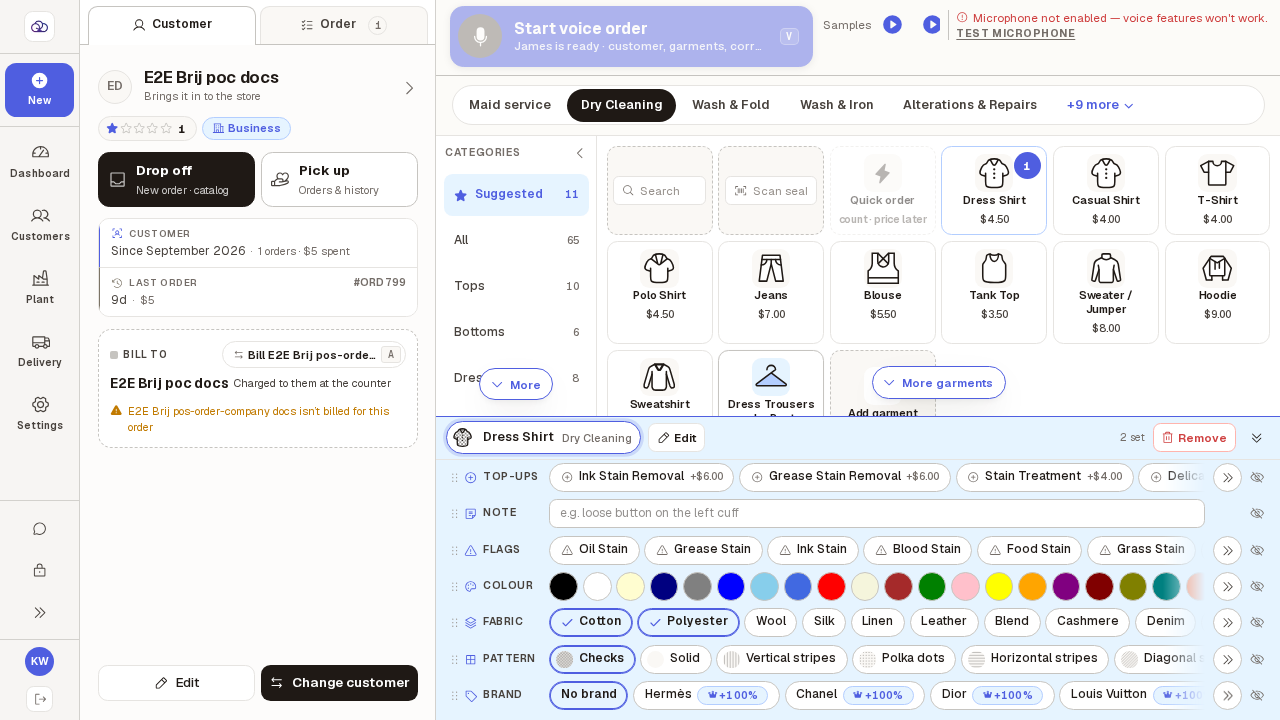
Find the customer by name or phone and pick them.
If they belong to a company account, a "Bill to" card appears. It shows the company and its terms (for example "On account · net 30"). The company pays by default.
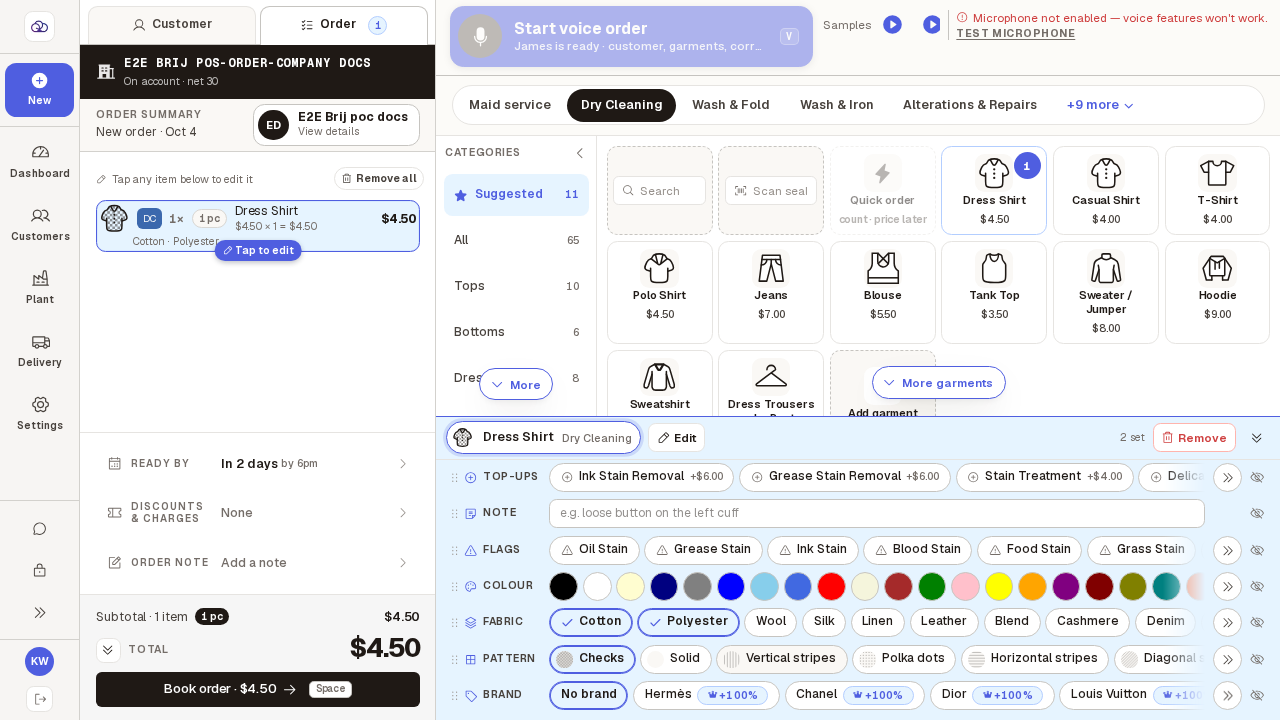
Add a garment. In the details panel below the catalog, tap its fabrics and its pattern.
You can tap more than one fabric — a blend shows on the order as "Cotton · Polyester". Pattern is one choice only; "Solid" means no pattern.
To let the person pay instead, tap the button on the "Bill to" card (or press A).
A box asks you to confirm. It warns that the items already on the order will be priced again at the new rates.
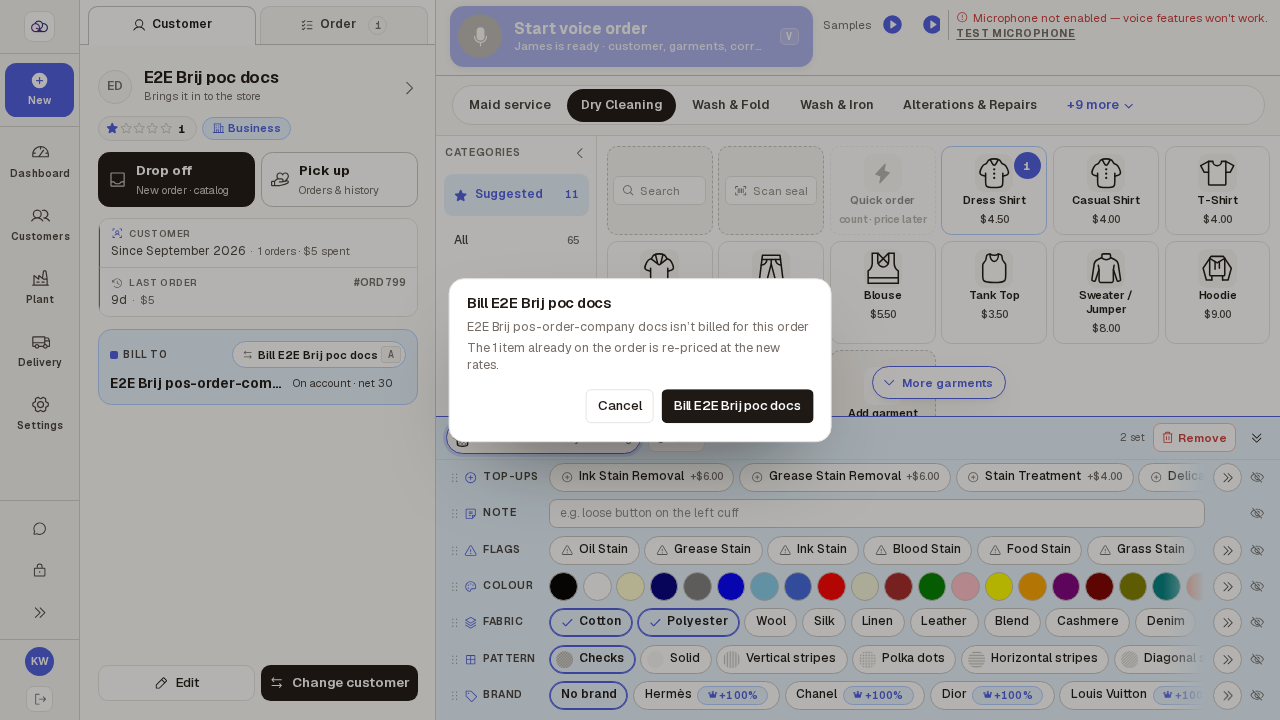
Confirm. Now the person pays at the counter like any other customer.
The card says "Charged to them at the counter". Press A again to put it back on the company.
To book the order to a department, open "Discounts & charges" and pick it under "Department".
Only shown when the company bills the order and has departments. A department can have its own discount.
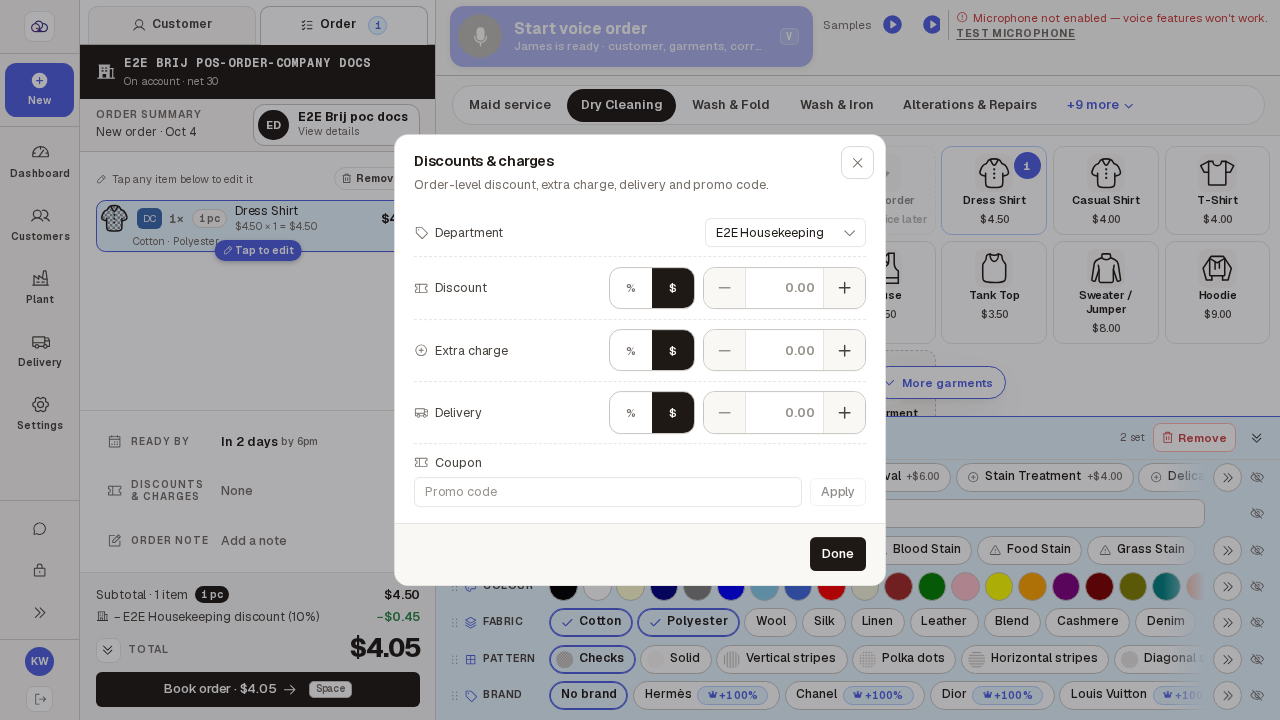
Press "Book order". The only way to pay is "On account" — press "Book on account".
Nothing is taken at the counter. The order is added to the company's next invoice, and the done screen shows the company name with a BILLED label.