
When a customer’s payment link will not open
Customers pay from their own phone by opening a link or scanning a QR code from the till. Sometimes that page opens on "Couldn’t process payment" instead of a card form. This is what the customer is looking at, what it means, and why nothing has been charged.
Step by step
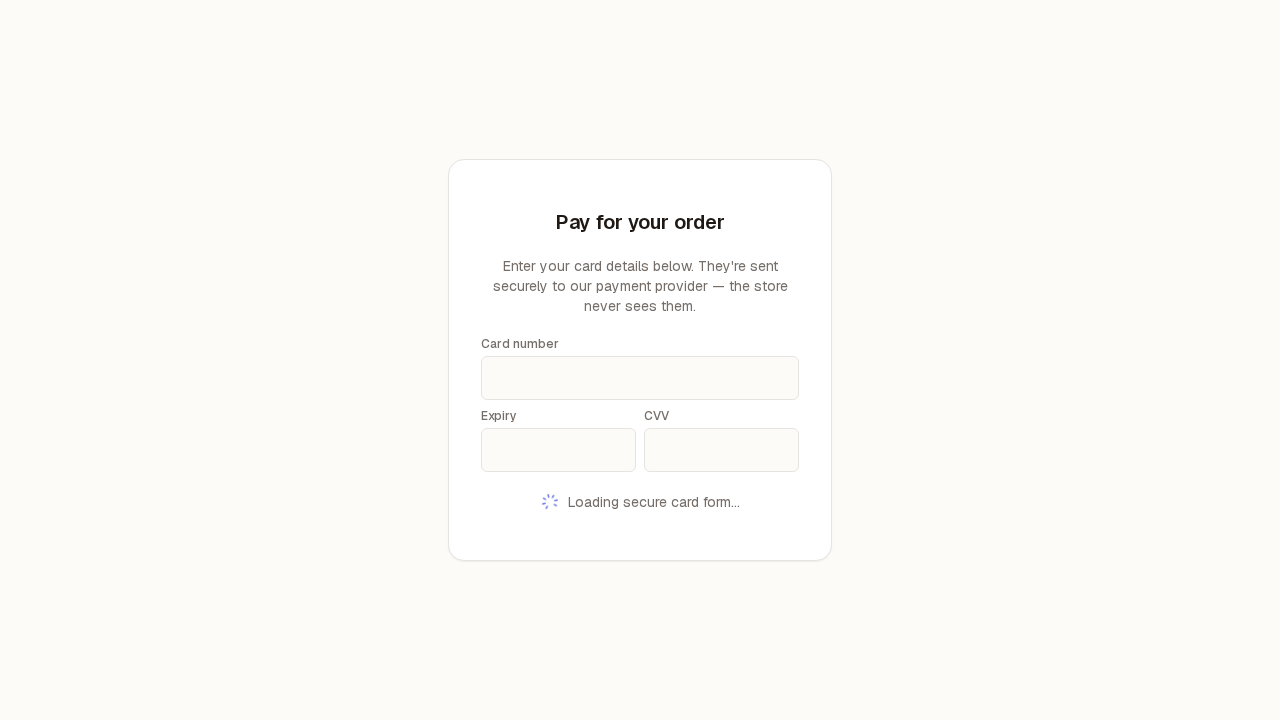
When the link is good, the customer’s phone opens on "Pay for your order" with three boxes for the card — Card number, Expiry and CVV — and, for a moment, "Loading secure card form…" underneath. That is the page caught mid-open: once the boxes have arrived the shop name, the amount and a Pay button appear with them.
This is the page working normally, and it is worth knowing what it looks like because the difference between "working" and "broken" is what the customer will describe to you on the phone. The card boxes are not ours: they are supplied by the card provider and drop into the page from their side, which is why there is a short wait and why nobody at the shop — and nothing in this system — ever sees the card number. Until they have arrived there is no Pay button, so nobody can pay early by accident, and the amount is not shown yet because the page has not been told which bill it is for.
If the link arrives incomplete, the customer never gets that far. The page opens straight onto "Couldn’t process payment — Something went wrong. Please try again, or ask the store to resend the link." There is no card form and no button of any kind.
A payment link carries two pieces of information in its tail, and both have to arrive. Messaging apps, printed QR codes and copy-paste all lose tails: a customer who copied the link by hand, or tapped a link that a chat app cut short, gets exactly this. Nothing was attempted on the card provider’s side — the page stopped before asking — so there is no half-finished payment sitting anywhere, and nothing to reverse.
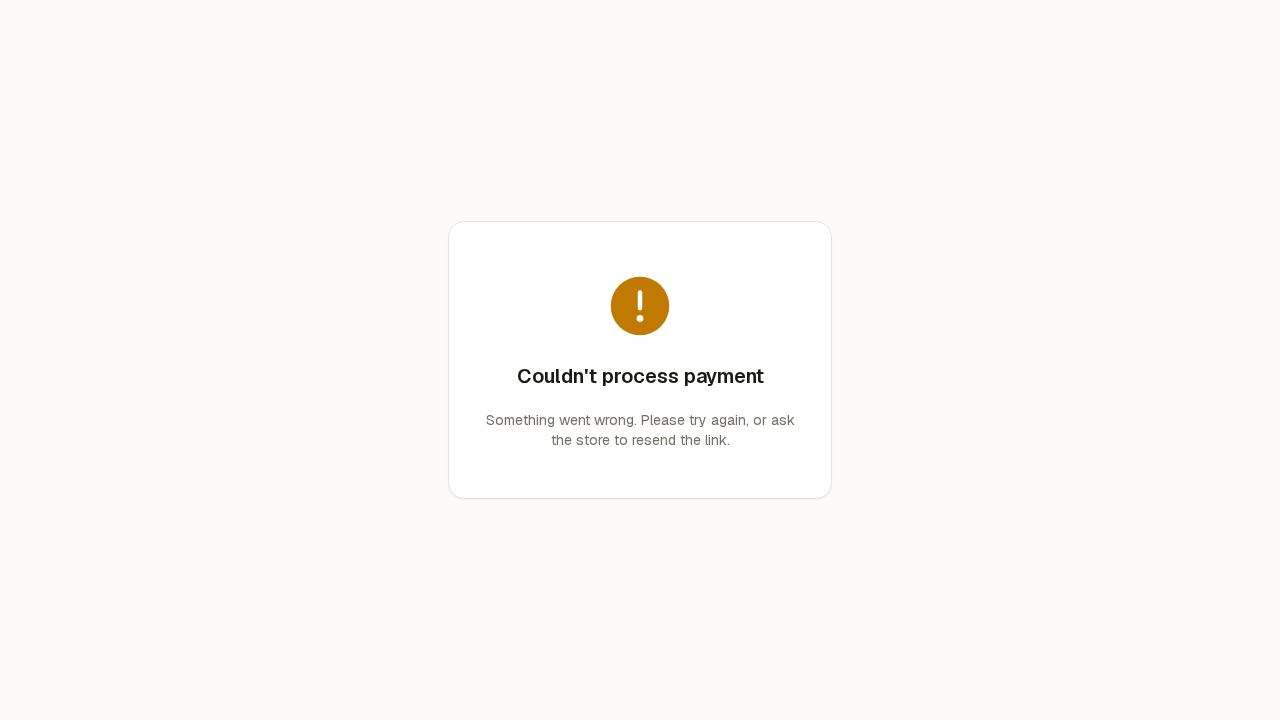
The customer sees the very same message when the link is complete but no longer usable — already paid, long expired, or the shop’s card provider cannot be reached just now. From the customer’s side the two cases look identical.
That is deliberate: the page will not tell a stranger holding a link whether an order exists, what it was for, or how much it was. So do not read the message as "the link was typed wrong" — it covers several causes. If the customer says they have tried twice from the message the store sent them, it is almost certainly this case rather than a mistyped address.
Tell the customer nothing has been charged, and send them a fresh payment link from the till. If the new link fails the same way, take the payment at the counter and tell your manager the card links are not working.
There is nothing for the customer to press on this page — no retry button and no way back — and that is on purpose rather than a fault: the page has no order in front of it to retry against. Resending is the fix, and a new link is safe to send even if you are unsure whether the first one was used, because a link for a bill that has already been settled says "Nothing left to pay" instead of charging the card a second time. Do not ask the customer to read their card number out over the phone; the whole point of the link is that the card details go straight to the card provider and never through the shop.